
Shared budget expense tracker for collaborative finance
xpenser shared budgets separate transactions, permissions, currencies, reports, API workflows, and member attribution for collaborative finance tracking.
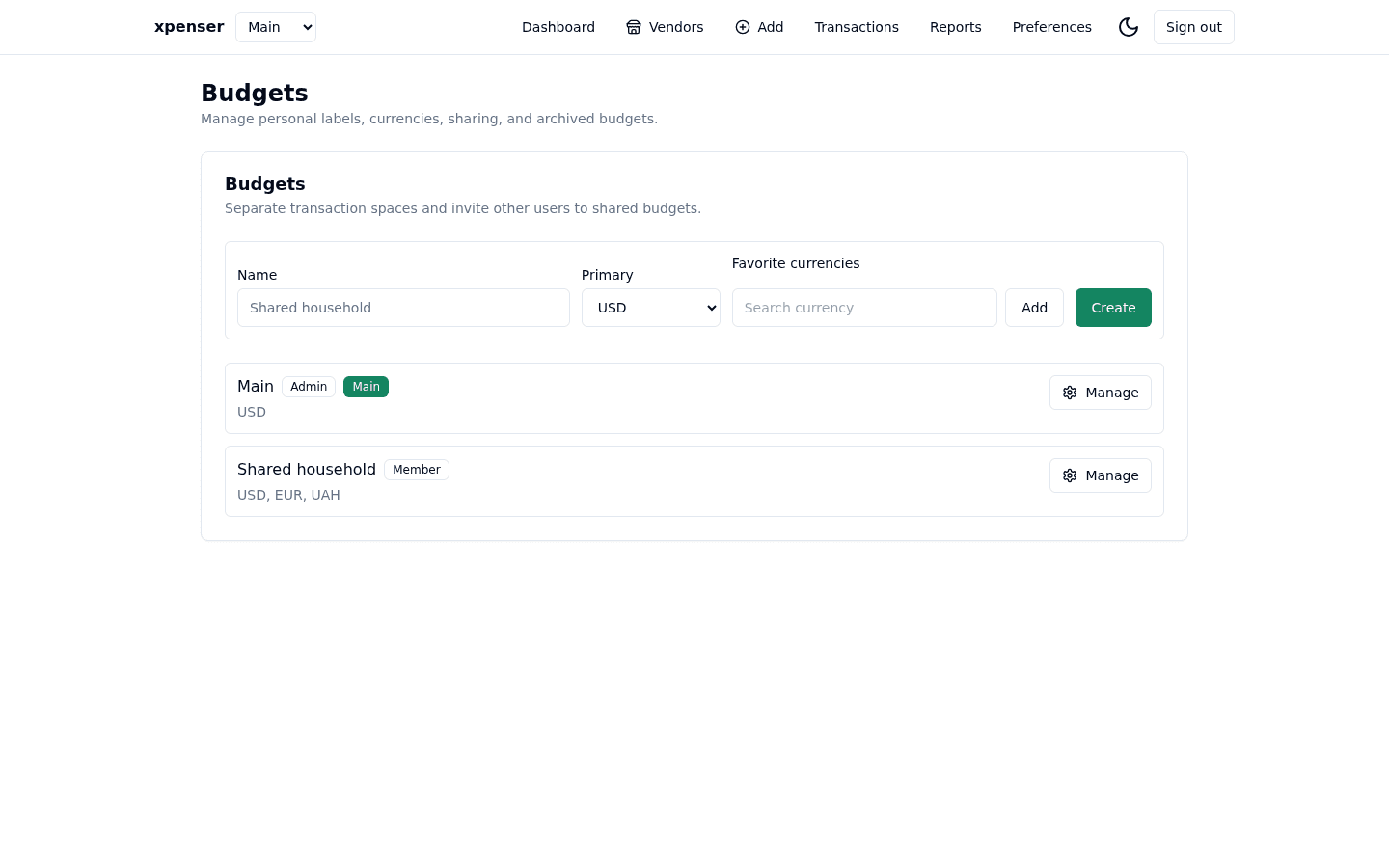
xpenser now works as a shared budget expense tracker for people who need more than one financial workspace. A budget is the boundary for transactions, categories, vendors, tags, scanned receipts, reports, Telegram capture, MCP tools, and API access. That means a household budget, a trip budget, a business expense space, or a shared project can each keep its own data without mixing into another view.
Existing accounts are migrated into a Main budget, and new transactions are always created inside a budget. The product no longer treats a transaction as a loose record owned only by one user. It belongs to a selected budget, and the people with access to that budget can see the same financial activity.
What is a shared budget in xpenser?
A shared budget is a finance workspace with its own members, permissions, currencies, and transaction history. It is not just a filter on top of one personal account. When you switch budgets from the selector near the xpenser logo, the app changes the active context for entry, reports, vendors, categories, tags, scans, and exports.
This matters because collaborative expense tracking usually fails when two different ideas are forced into one list. A personal lunch, a family grocery run, and a reimbursable work receipt may all be expenses, but they should not always share the same reports, categories, or collaborators. Budgets give those records a home.
For people evaluating xpenser as an open-source expense tracker, this also keeps the data model easy to reason about. A transaction always belongs to a budget. Budget access decides who can see or change it. Budget settings decide how the totals are reported.
Clear transaction boundaries
Before this release, xpenser was centered around one user's transaction set. That is enough for a single-person tracker, but it becomes awkward for shared finance. If another user can add transactions to the same space, every surrounding object needs to follow the same boundary.
Budgets now separate:
- Transactions and scanned transaction drafts.
- Categories, including category management permissions.
- Vendors and vendor management permissions.
- Transaction tags.
- Dashboard totals and report windows.
- CSV exports and drill-down links.
- Telegram and MCP workflows that create or inspect finance data.
The practical result is simple: when you are in a budget, the app should behave as if that budget is the current workspace. A category created for one budget does not need to leak into another. A vendor report for one shared space should not include unrelated personal spending. A transaction added from Telegram or an API workflow needs the same budget context as a transaction added through the web app.
Personal names for shared budgets
Shared data and personal labels are deliberately separate. If someone invites you to a budget named Main, you should not be forced to see two identical Main entries forever. When you accept an invitation, xpenser asks for your own display name for that budget.
That local name changes only what you see. It does not rename the budget for every other member. This keeps shared finance flexible without creating accidental global changes. One person can call the same space Household, another can call it Family expenses, and the underlying shared transactions still stay together.
Admin and member access
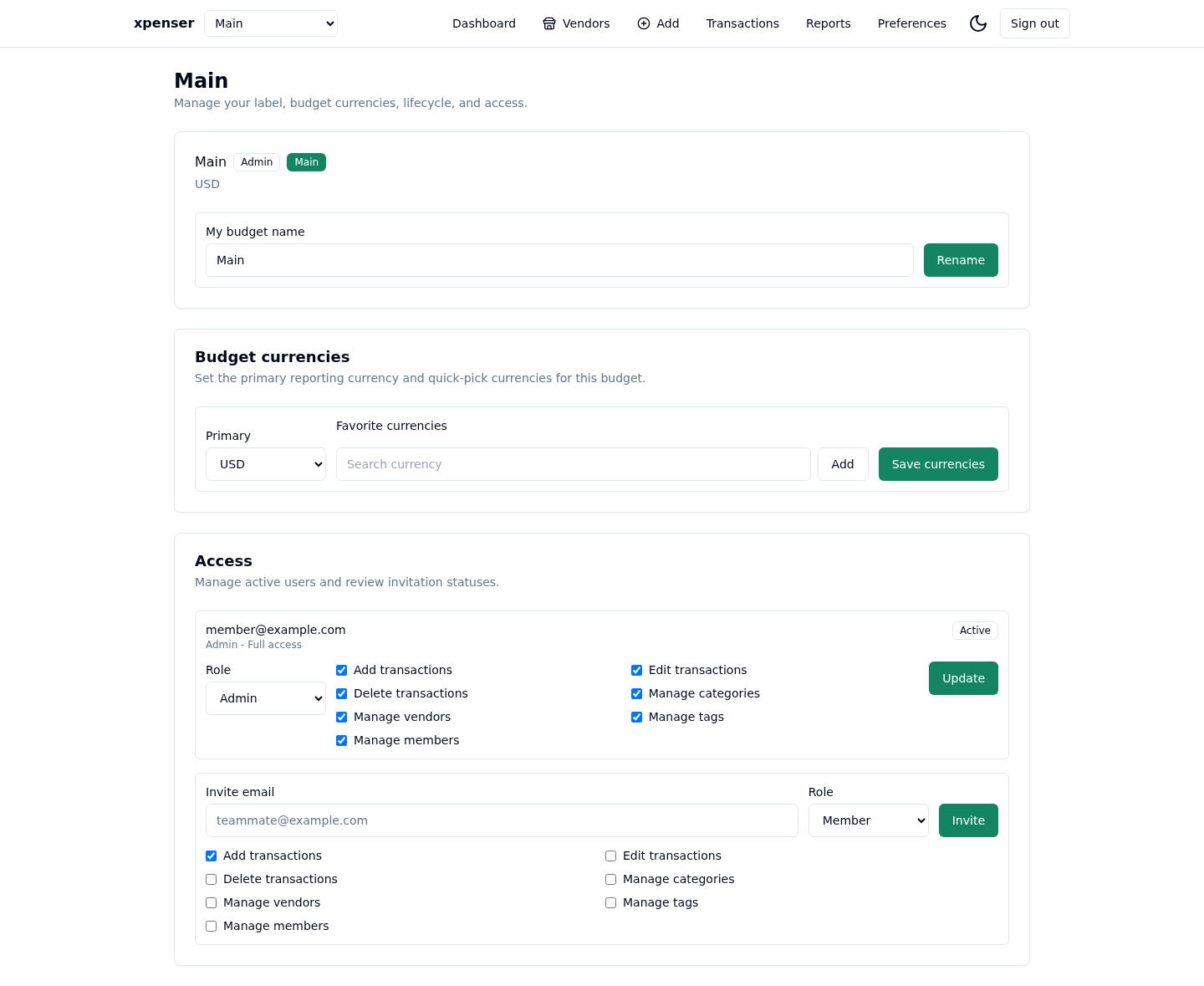
Shared budgets include two visible roles: admin and member. Admins can manage the budget's access list. Members can participate according to the permissions assigned to them.
The permission model is intentionally more granular than a simple read/write switch. A budget admin can decide whether a member can add transactions, update transactions, delete transactions, manage categories, manage vendors, manage tags, manage members, or manage budget settings. This is important for real shared personal finance work because not every collaborator should have the same level of control.
For example, a partner may be trusted to add and edit shared household transactions. A helper may only need to add receipts. Someone reviewing expenses may need visibility without category or member-management access. Those cases all fit better with budget permissions than with a single "shared with" flag.
Email invitations with magic links
Admins invite another user by entering an email address and choosing a role. If a user with that email exists, xpenser sends a magic link that lets the invited user join the budget. The invitation flow avoids creating access for arbitrary unknown email addresses, and the invite is accepted only by the intended existing account.
The acceptance step includes the local display name choice. That means the invite does not need to guess how the recipient wants the shared space to appear in their own budget selector.
Budget currencies instead of user currencies
Currency preferences moved from the user level to the budget level. Each budget has a primary reporting currency and favorite currencies for quick entry. This is the correct boundary because a travel budget, household budget, and work budget may not use the same currency set.
The budget management page uses chip-style favorite currency entry with autocomplete search. That makes the setting feel like a short, editable list rather than a heavy multiselect. It also keeps the primary reporting currency separate from quick-pick currencies used while entering transactions.
This makes xpenser a stronger self-hosted personal finance tracker for people who track more than one financial context. The currency setup follows the place where reporting happens: the budget.
Transaction attribution with avatars
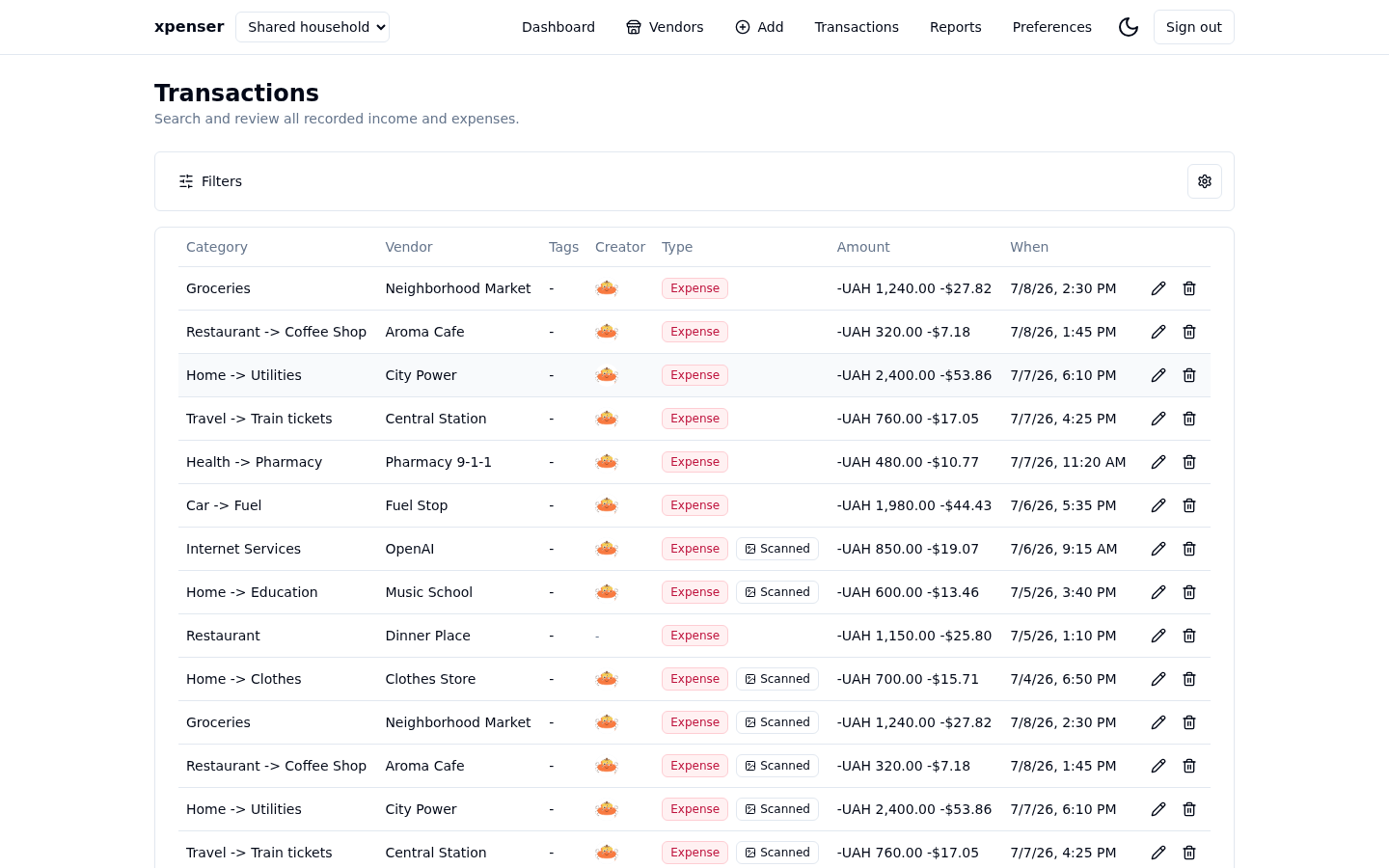
When a transaction was created by another budget member, xpenser shows a small avatar instead of a visible Added by email label. Transactions created by the current user stay unmarked. The goal is to make shared activity scannable without adding noise to every row.
Avatar support is now a general user identity feature, not a one-off shared-budget label. xpenser can use a profile image from sign-in providers such as Google, and users can upload their own avatar from Preferences. The same user avatar surface can now be reused anywhere the app needs to show who performed an action.
Archive and delete lifecycle
Budgets can be archived when they should disappear from everyday screens without being destroyed. Archived budgets are hidden from normal selectors and app workflows, which keeps old trips, finished projects, or closed business periods out of the active finance surface.
Admins can delete archived budgets when they are sure the data should be removed. Keeping deletion behind the archive state adds a deliberate pause before permanent removal. The Main budget is protected because it is the migration target for each user's existing data and the default home for their account.
Reports, Telegram, MCP, and API workflows
Budgets are not only a web UI concept. Reports, scans, Telegram capture, MCP tools, and API workflows all need to understand the selected budget. Otherwise a shared budget expense tracker would only be shared in one interface and inconsistent everywhere else.
With this release, the same boundary is carried through the app's integration surfaces. Reports read from the selected budget. Telegram-created transactions need budget context. MCP and API access work against budget-aware contracts. Dashboard and vendor views can show contribution avatars for users who added transactions to a shared budget.
Developers and self-hosters can still start from the personal finance API and MCP tools page, but the important product change is that programmable finance workflows now fit the same shared-budget model as the web app.
How this helps collaborative expense tracking
The most useful part of shared budgets is not the invite itself. It is the combination of shared data, local labels, controlled permissions, budget-level settings, and transaction attribution.
That combination supports several common workflows:
- A household can keep groceries, utilities, subscriptions, and shared purchases in one place.
- A couple can track a trip without mixing travel spending into personal reports.
- A small team can record reimbursable expenses with clear ownership.
- A self-hosted user can expose a budget through API or MCP workflows without flattening every transaction into one account.
- An admin can invite someone for data entry while keeping settings, categories, vendors, tags, and member management restricted.
xpenser still works as a single-user tracker. If you never share a budget, your Main budget simply becomes the workspace that contains your existing data. The difference is that the model now has room for collaboration when you need it.
Where shared budgets fit in xpenser
Shared budgets build on the existing xpenser product surface: transaction capture, dashboards, vendors, reports, category organization, Telegram scanning, and programmable access. They make those features more useful when financial activity belongs to more than one context or more than one person.
For a broader product overview, start with the xpenser home page. If your priority is source access and transparent finance records, read about the open-source expense tracker. If you run your own deployment, the self-hosted personal finance tracker page explains the deployment-oriented side of the product.
Shared budgets make collaboration part of the core finance model instead of an afterthought. Every transaction has a budget. Every budget has access rules. Every collaborator can use the name and workflow that make sense for them.