
Period-aware transaction navigation
xpenser now carries the selected dashboard, vendor, or report period into transaction filters when users open the transactions view.
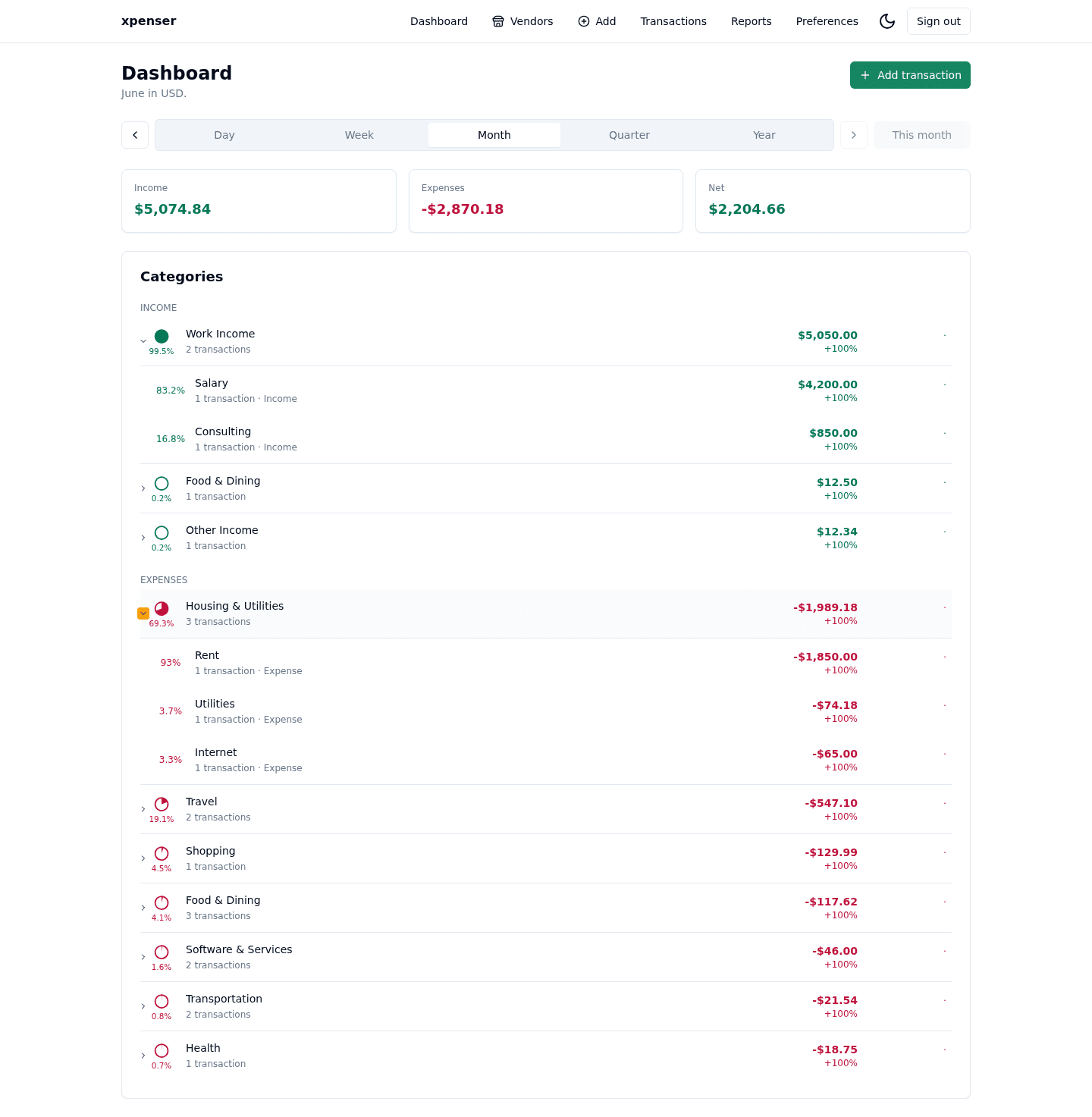
xpenser now preserves reporting period context when users move from summary views to transactions.
If a user is reviewing a month, week, quarter, or year on Dashboard, Vendors, or Reports, opening Transactions now presets the date filters to that same period.
What changed
- Added period-aware navigation into the Transactions page.
- Converted dashboard periods into transaction
fromandtofilters. - Preserved the user's timezone when resolving day, week, month, quarter, and year ranges.
Why it matters
Finance review is usually period-based. When a user sees a number on a dashboard and opens transactions, the transaction list should start from the same time window instead of all history.
This keeps the investigation flow tighter: review a summary, open the underlying rows, and adjust filters only when needed.
Where it fits
This connects xpenser's dashboard, vendor analytics, reports, and transaction history into a more consistent expense tracking workflow.
For a broader product overview, start with the xpenser home page. Developers can also explore the personal finance API and MCP tools, while self-hosters can review the self-hosted personal finance tracker page.